
서론
This post shows how to Quantize ONNX model.
Use : MobileNetV2-12.onnx
목차
Quantization
- You need to download
run.pyandresnet50_data_reader.pyin the same folder. resnet50_data_reader.pyinclude preprocessing function so that model which you would like to quantization gets input same as training.- you can download them from here
Put this below command to make your model quantized.
input_model: The model you would like to quantize.output_model: Model name after quantizationcalibrate_dataset: Calibration Dataset Pathquant_format: Quantization format- Here is Quantization Format
- QOperation : If you don’t need more than 16bit operation, After being quantized once, it continues to the end without dequantizing.
- ONNXQuantizer Module is executed.
- QDQ : after quantization operation is finished from a node, Dequantize will execute.
- QDQQuantizer Module is executed.
- Here is Quantization Format
per_channel: channel 별로 Quantization 할 것인지 여부. False 일 경우 모든 입력 텐서에 대해서 하나의 값으로 zero_point와 scale이 결정 된다.
python3 run.py --input_model='./modified_edited_mobilenet12.onnx' --output_model='./output.model' --calibrate_dataset='./imagenet-sample-images' --quant_format QOperator --per_channel True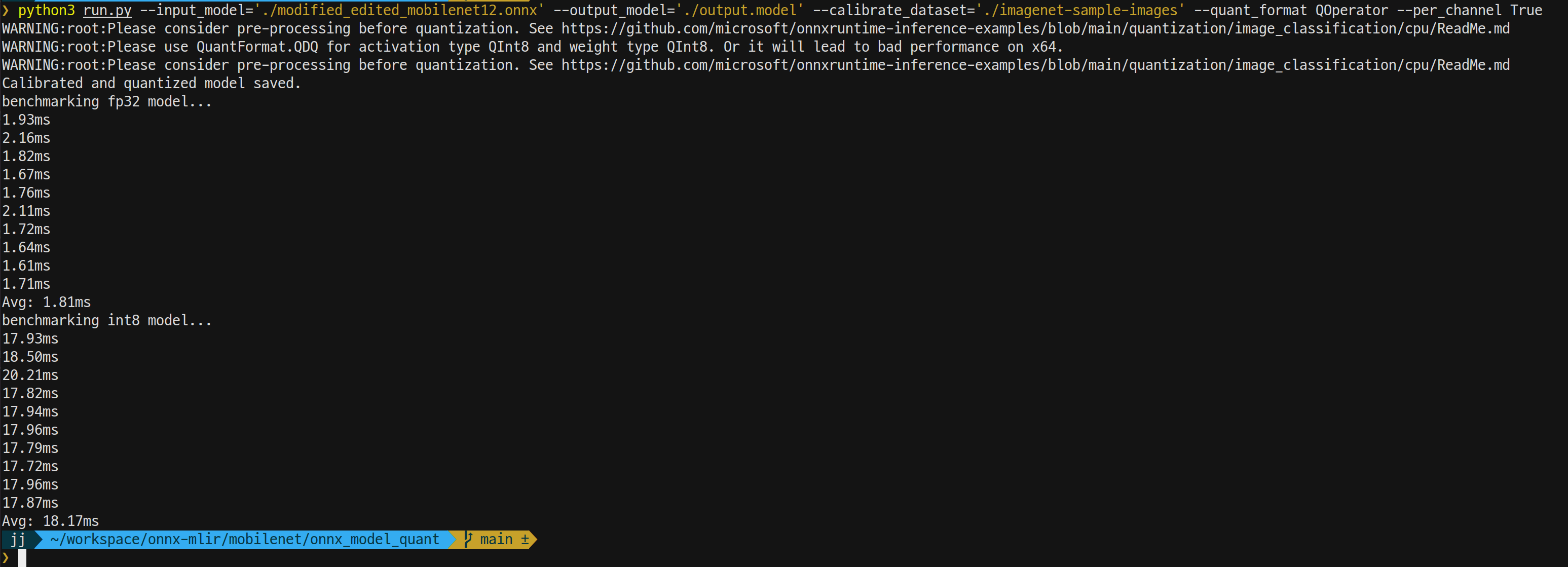
Confirm the Model
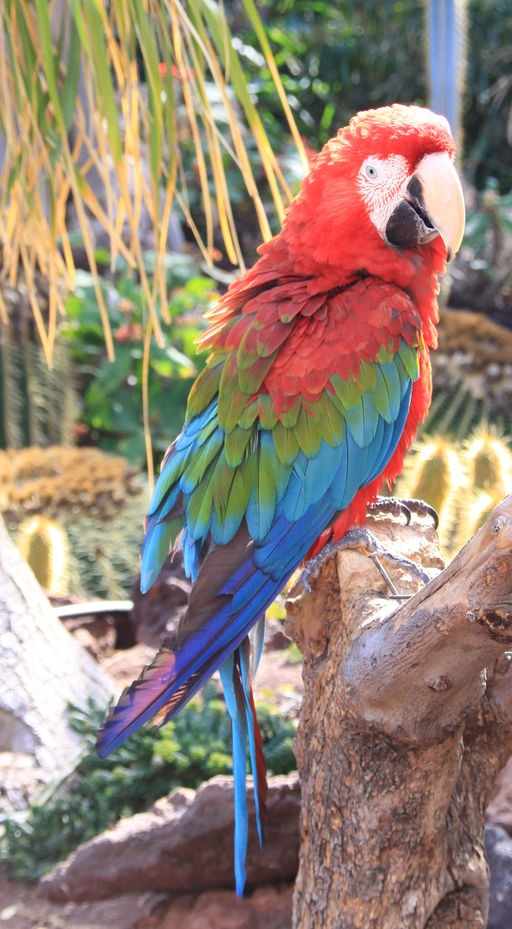
I used parrot image to confirm whether the model quantized well or not.
We did it!

Consider of Quantization
- Need to edit pre-processing function
- Edit _preprocess_images function from resnet50_data_reader.py
- Write pre-processing code same as training the model.
- Quantization parameter
- op_types_to_quantize (list) : quantization 시킬 특정 연산자만 지정 가능
- reduce_range (bool) : True 시 weight 및 8비트에서 7비트 전환됨
- activation_type (QuantType) : 입력 값을 int8/uint8 로 양자화
- weight_type (QuantType) : 가중치 값을 int8/uint8 로 양자화
- nodes_to_quantize, nodes_to_exclude (list(str)): 특정 노드만 양자화, 특정 노드만 제외
- preprocessing
- Do quantization after pre-process images.
- quantize_static vs quantize_dynamic
현재 코드는 static으로 구현 된 상태. dynamic의 경우에는 calibration 데이터는 필요 없지만, 매 계산마다 scale과 zero point를 재계산 하여 최적의 파라미터로 네트워크에 입력하게 된다. 이럴 경우 노드의 복잡도가 더 커지므로 static 이용 권장한다.
Sharing Code
ONNX Inference Code
import cv2
import numpy
import onnxruntime
import onnx

with open("imagenet_classes.txt", "r") as f :
    categories = [s.strip() for s in f.readlines()]

def softmax(x):
    e_x = numpy.exp(x - numpy.max(x))
    return e_x / e_x.sum()


image_filepath = './parrot.jpg'
image = cv2.imread(image_filepath, 1)  # image read
image = cv2.cvtColor(image, cv2.COLOR_BGR2RGB)
image_data = cv2.resize(image, (256, 256), interpolation=cv2.INTER_LINEAR).astype(
    numpy.float32)  # cv2.INTER_LINEAR
image_data = image_data[16:240, 16:240, :].copy()
image_data = image_data.transpose([2, 0, 1])  # C, H, W
mean = numpy.array([0.079, 0.05, 0]) + 0.406  # 0.485, 0.456, 0.406
std = numpy.array([0.005, 0, 0.001]) + 0.224  # 0.229, 0.224, 0.225

for channel in range(image_data.shape[0]):
    image_data[channel, :, :] = (image_data[channel, :, :] / 255 - mean[channel]) / std[channel]  # RGB

image_data= numpy.expand_dims(image_data, axis=0)  # 1, 3, 224, 224

ort_session = onnxruntime.InferenceSession("output.onnx")

first_input_name = ort_session.get_inputs()[0].name
first_output_name = ort_session.get_outputs()[0].name

#print(first_input_name, first_output_name)
ortvalue = onnxruntime.OrtValue.ortvalue_from_numpy(image_data)
outputs = ort_session.run(["output"], {"input" : ortvalue})
outputs = softmax(outputs[0][0])
idx = numpy.argmax(outputs)
print(f"Label: {categories[idx]}, score: {outputs[idx]}")
Preprocessing Code
import numpy
import onnxruntime
import os
from onnxruntime.quantization import CalibrationDataReader
from PIL import Image
import cv2

def _preprocess_images(images_folder: str, height: int, width: int, size_limit=0):
    """
    Loads a batch of images and preprocess them
    parameter images_folder: path to folder storing images
    parameter height: image height in pixels
    parameter width: image width in pixels
    parameter size_limit: number of images to load. Default is 0 which means all images are picked.
    return: list of matrices characterizing multiple images
    """

    image_names = os.listdir(images_folder)
    if size_limit > 0 and len(image_names) >= size_limit:
        batch_filenames = [image_names[i] for i in range(size_limit)]
    else:
        batch_filenames = image_names

    unconcatenated_batch_data = []

    for image_name in batch_filenames:
        image_filepath = images_folder + "/" + image_name
        image = cv2.imread(image_filepath, 1)  # image read
        image = cv2.cvtColor(image, cv2.COLOR_BGR2RGB)
        image_data = cv2.resize(image, (256, 256), interpolation=cv2.INTER_LINEAR).astype(
            numpy.float32)  # cv2.INTER_LINEAR
        image_data = image_data[16:240, 16:240, :].copy()
        image_data = image_data.transpose([2, 0, 1])  # C, H, W
        mean = numpy.array([0.079, 0.05, 0]) + 0.406  # 0.485, 0.456, 0.406
        std = numpy.array([0.005, 0, 0.001]) + 0.224  # 0.229, 0.224, 0.225

        for channel in range(image_data.shape[0]):
            image_data[channel, :, :] = (image_data[channel, :, :] / 255 - mean[channel]) / std[channel]  # RGB


        nhwc_data = numpy.expand_dims(image_data, axis=0) # 1, 3, 224, 224

        yield nhwc_data


class ResNet50DataReader(CalibrationDataReader):
    def __init__(self, calibration_image_folder: str, model_path: str):
        self.enum_data = None

        # Use inference session to get input shape.
        session = onnxruntime.InferenceSession(model_path, None)
        (_, _, height, width) = session.get_inputs()[0].shape

        # Convert image to input data
        self.nhwc_data_list = _preprocess_images(
            calibration_image_folder, height, width, size_limit=0
        )
        self.input_name = session.get_inputs()[0].name
        #self.datasize = len(self.nhwc_data_list)

    def get_next(self):
        if self.enum_data is None:
            self.enum_data = iter(
                [{self.input_name: nhwc_data} for nhwc_data in self.nhwc_data_list]
            )
        return next(self.enum_data, None)

    def rewind(self):
        self.enum_data = None
Download Parrot.jpg
[reference]
https://www.exusio.ml/befa52a7-b8c9-4be3-bb90-6bc0d98a29b0#8dff59cc935d419fae8b4aa01f94c28f
Comment